One management plane, many clusters

One management plane. Any AWS account.

Kubernetes for your organisation and your customers, managed from a single place you control.

Kubox provisions the cluster. Deploying your application is still your job.

One management plane. Isolated clusters.

Maintain full control by self-hosting the management plane, and isolated clusters for your SaaS customers or internal teams.

SaaS providers

Your SaaS, in a customer’s account

A customer asks if your software can run in their cloud. Answer yes this week, not next quarter.

Platform teams

Ten or a hundred clusters, for internal teams

Every team wants a cluster. None of them want to run one. Hand them out without becoming the bottleneck.

Your account

The management plane

Create clusters, watch them build, and see every one you have handed out.

Wherever it runs

Full Kubernetes

Your existing manifests, operators and tools work unchanged.

The whole AWS setup, not just the cluster
Networking, load balancers, keys and storage are built for you. Nobody has to run anything in the account first.
Run it yourself
Host the management plane on your own infrastructure. One less vendor for a security team to sign off.
No open ports
Clusters reach out to Kubox. The account owner opens nothing to the internet.
Permissions you can hand to a reviewer
Every permission Kubox asks for is published. Their security team reads it before granting anything.
Your networking and storage choices
Pick what each cluster runs, instead of accepting whatever the platform decided for you.
Independent failure boundaries
Each cluster has its own failure boundary, separate from every other cluster.
Workloads keep running
Running workloads continue if the management plane is temporarily unavailable.
Your keys stay yours
Encryption keys never leave the account. Kubox can encrypt data but cannot read it back.
Hardened by default
Clusters run on Talos Linux: no SSH and no general-purpose shell, reducing the host configuration surface.

One cluster, start to finish.

  1. 01Connect to AWS
  2. 02Create cluster
  3. 03Connect with kubectl

Connect your AWS account

One account, connected and verified. See exactly what goes into your AWS account. Disconnect later and your clusters keep running without Kubox.
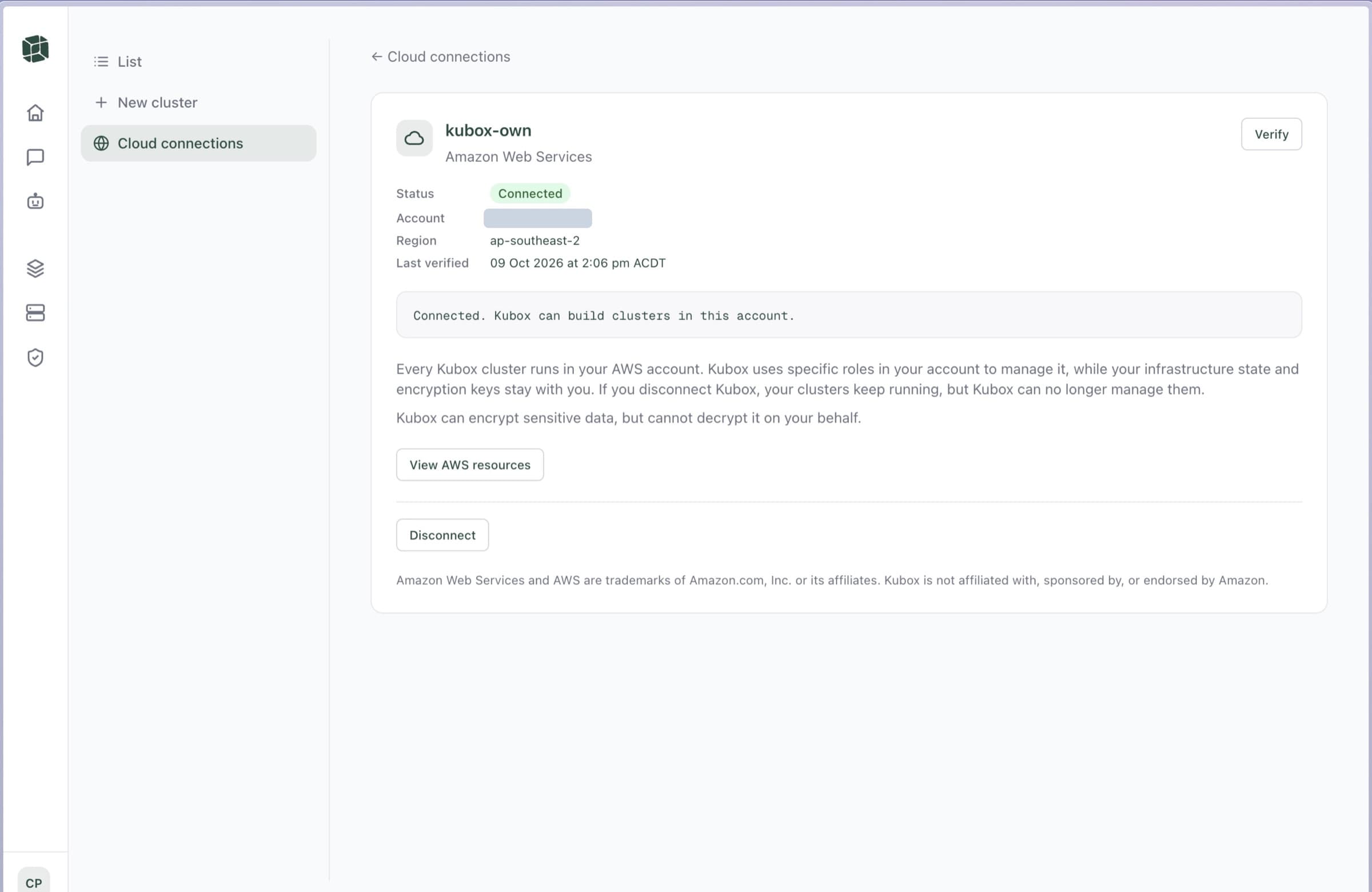
A connected AWS account in Kubox, showing the region, the last verification, and what happens if the connection ends

Create a cluster

Customers and teams use the console or the CLI to create their clusters. The plane runs a provisioner to spin up the AWS infrastructure using narrowly scoped IAM roles.
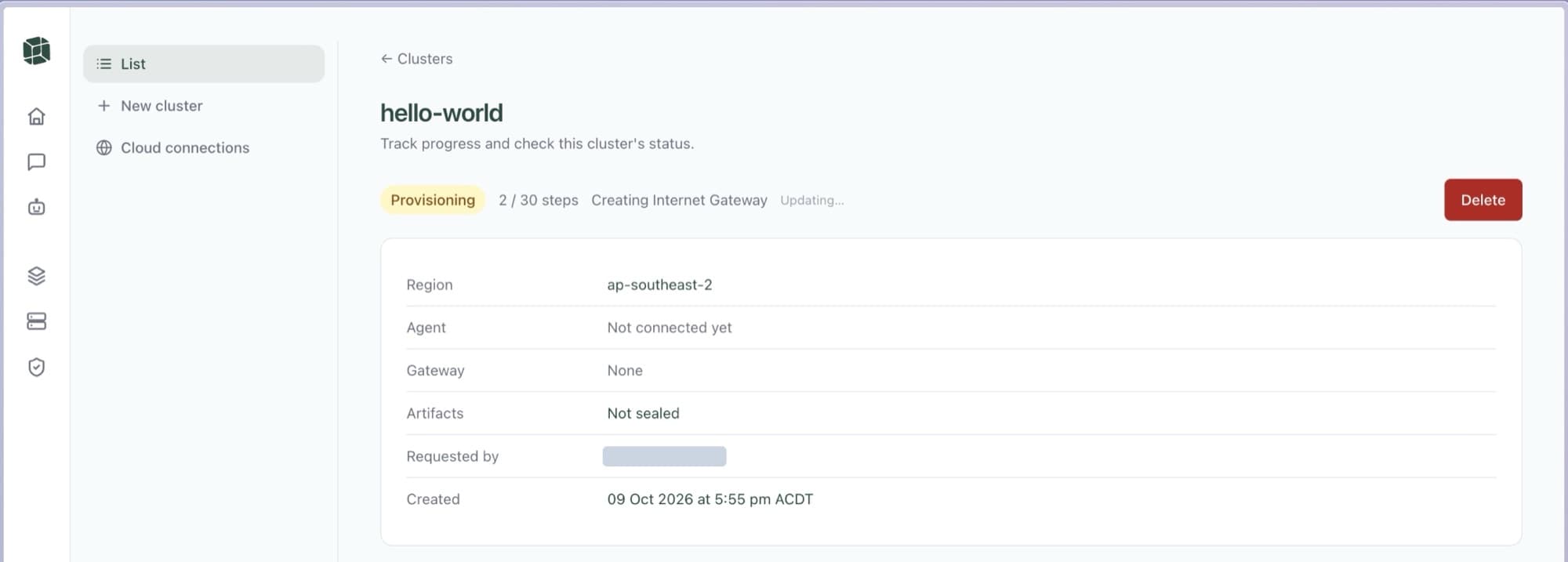
A cluster part-way through being built, naming the step it is on

Connect with kubectl

kubox cluster connect gives you a short-lived certificate, so you can use kubectl to reach the Kubernetes cluster.
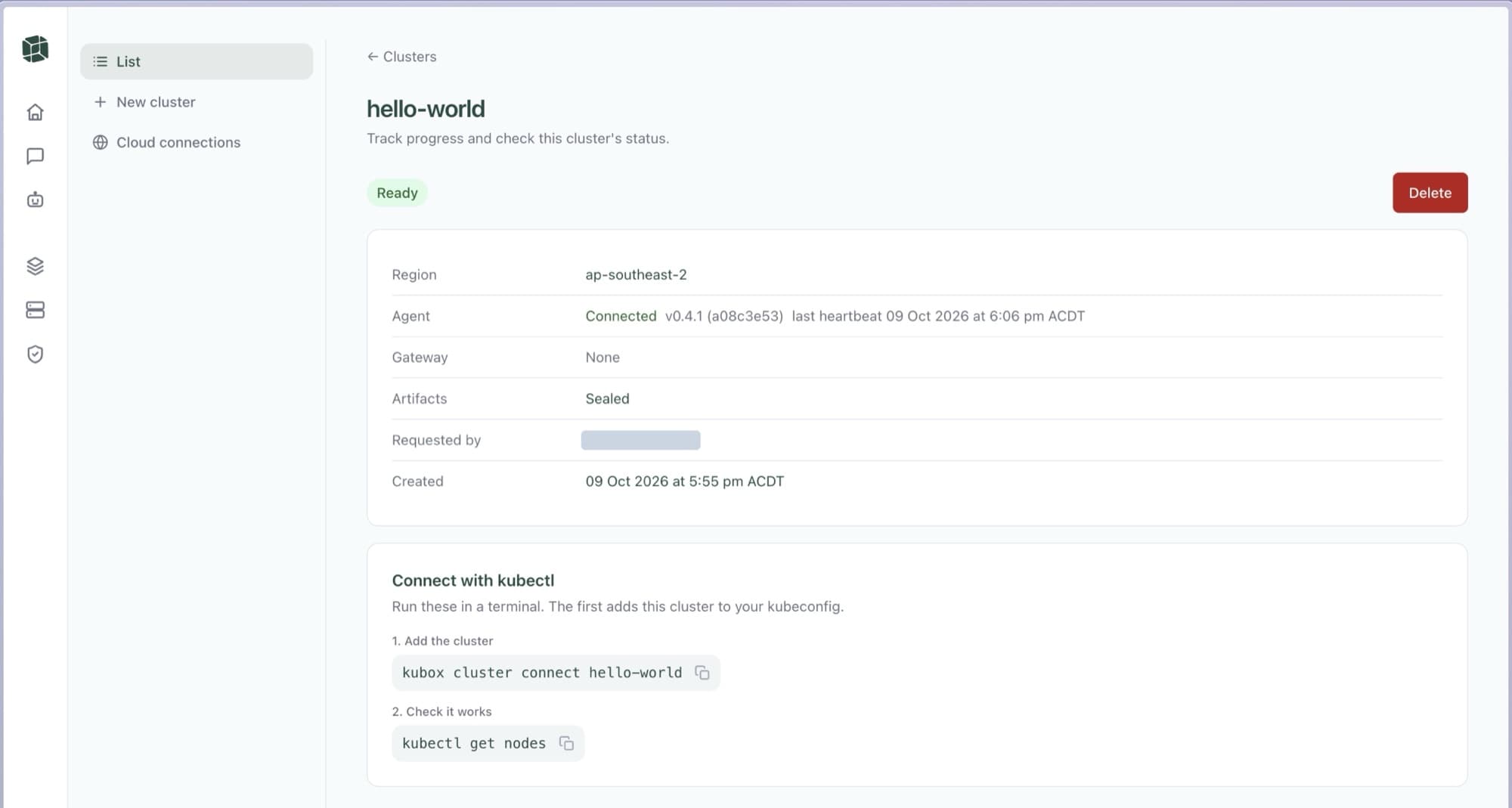
The same cluster once ready, with a connected agent and the two commands needed to reach it

Remove it cleanly

Deleting removes every resource too. Only IAM roles are left behind.
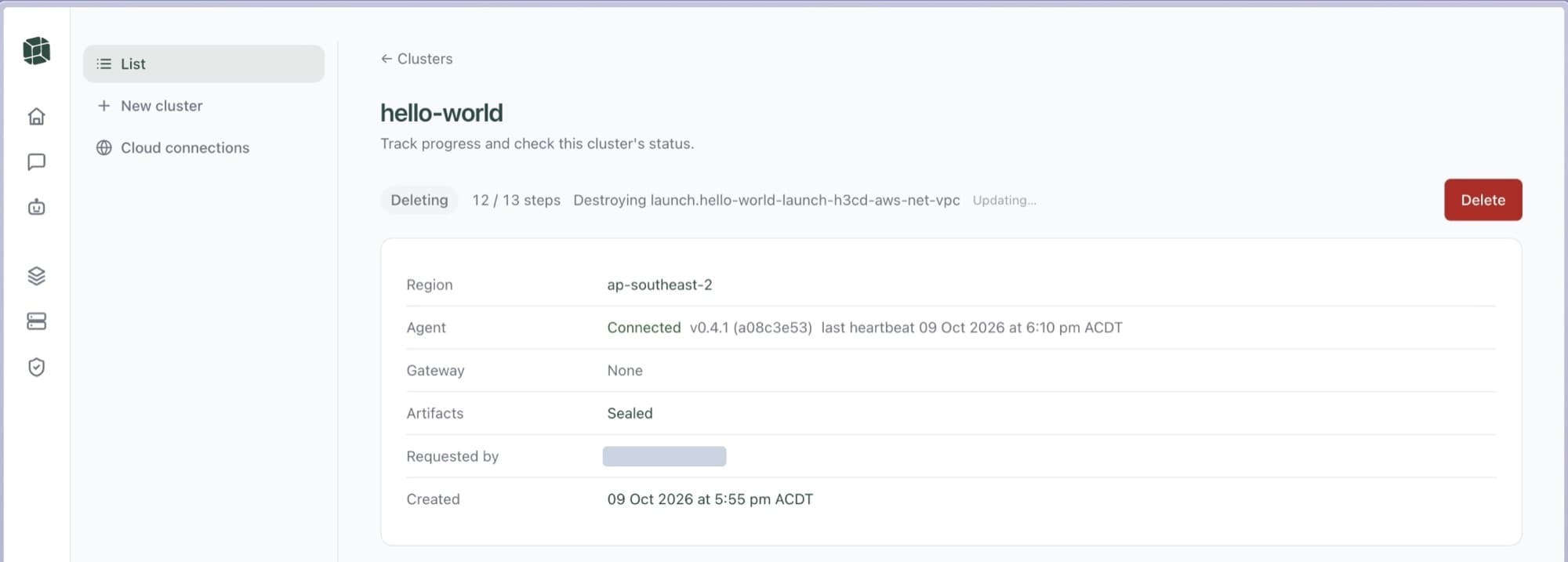
The same cluster being deleted, naming each AWS resource as it is destroyed

How it works

  1. 1

    Run your own plane

    Install the Kubox management plane in your own cloud account, fully under your control.

  2. 2

    Onboard customers and teams

    Each customer or team connects their cloud account with a narrowly scoped, auditable role.

  3. 3

    Clusters on demand

    Your plane builds, scales and updates their Kubernetes clusters, each isolated from the rest.

Four questions you will be asked.

Ownership
Name the account that holds it all.
Access
Show what Kubox asks for, and who approves it.
Operations
Decide who updates the application, and who answers at 2am.
Costs
Split what Kubox charges from what AWS charges.

Bring your answers, or bring the questions.

FAQs

What does BYOC mean here?
Bring your own cloud means offering your software in your customer’s cloud account. Deployment and support responsibilities need to be agreed between you and the customer.
Is this only for SaaS providers?
No. The same management plane suits a platform team issuing clusters to internal teams. The shape is the same either way: one plane, independent clusters, and an owner for each environment.
Whose AWS account should I use first?
Start in your own account so you can evaluate the infrastructure and your application before involving a customer.
Does creating a cluster deploy my SaaS application?
Creating the cluster prepares the Kubernetes environment. Your application, dependencies and deployment process are the next part of the evaluation.

Get the first cluster running.

Create a Kubernetes cluster in your AWS account and put your application’s deployment to the test.