Coding Sessions on Kubox

Give your coding agents a place to work.

Give the agent a task and watch it work. You see every step and what it costs, as it happens.

An agent harness with an isolated sandbox for every session. The major coding agents come ready to use.
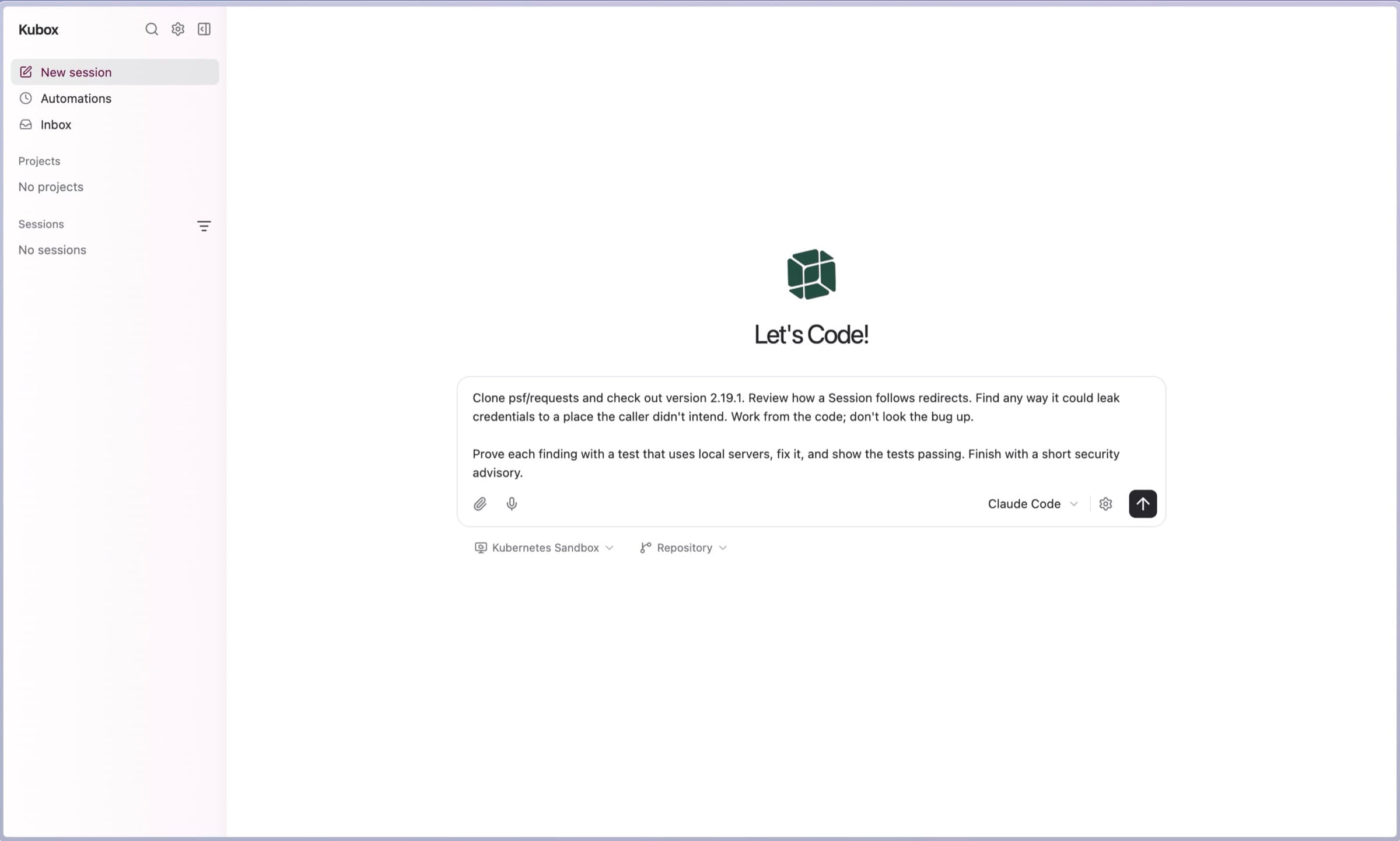
Starting a session in Kubox: a security review task typed into the box, Claude Code selected as the agent, and a Kubernetes Sandbox and repository chosen beneath it

Watch a real task get planned and worked through.

One task, start to finish. Watch the plan, the commands and what came back.
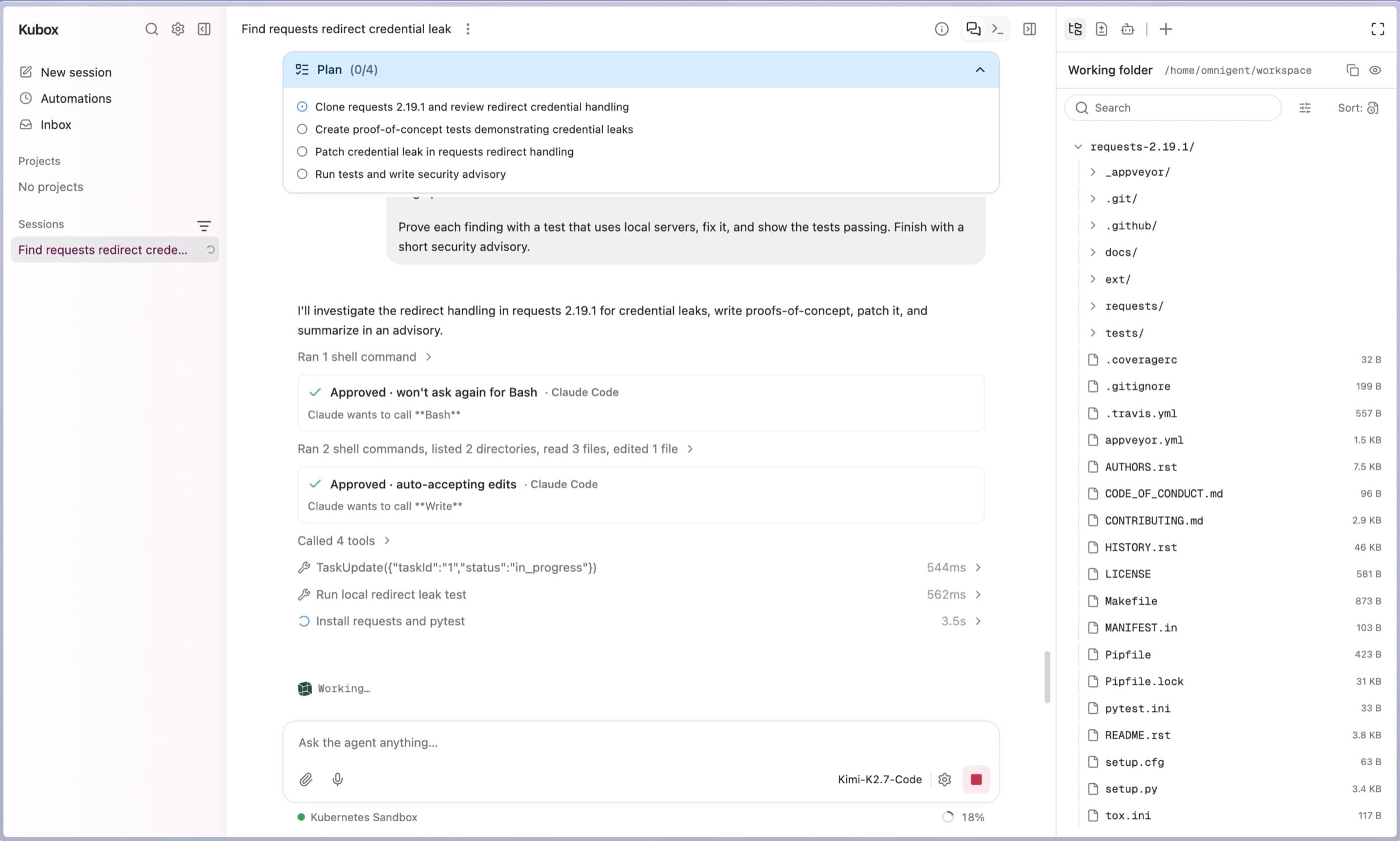
  1. 01Describe the task
  2. 02Follow the work
  3. 03Review the result
A Kubox session part-way through a security review: a four-step plan, approved tool calls, shell commands with timings, and the cloned repository in the working folder

A finding, a patch, and tests that prove it.

Five tests that reproduce the bug, a fix, and a written advisory in the repository. Work you can check, not a summary to trust.
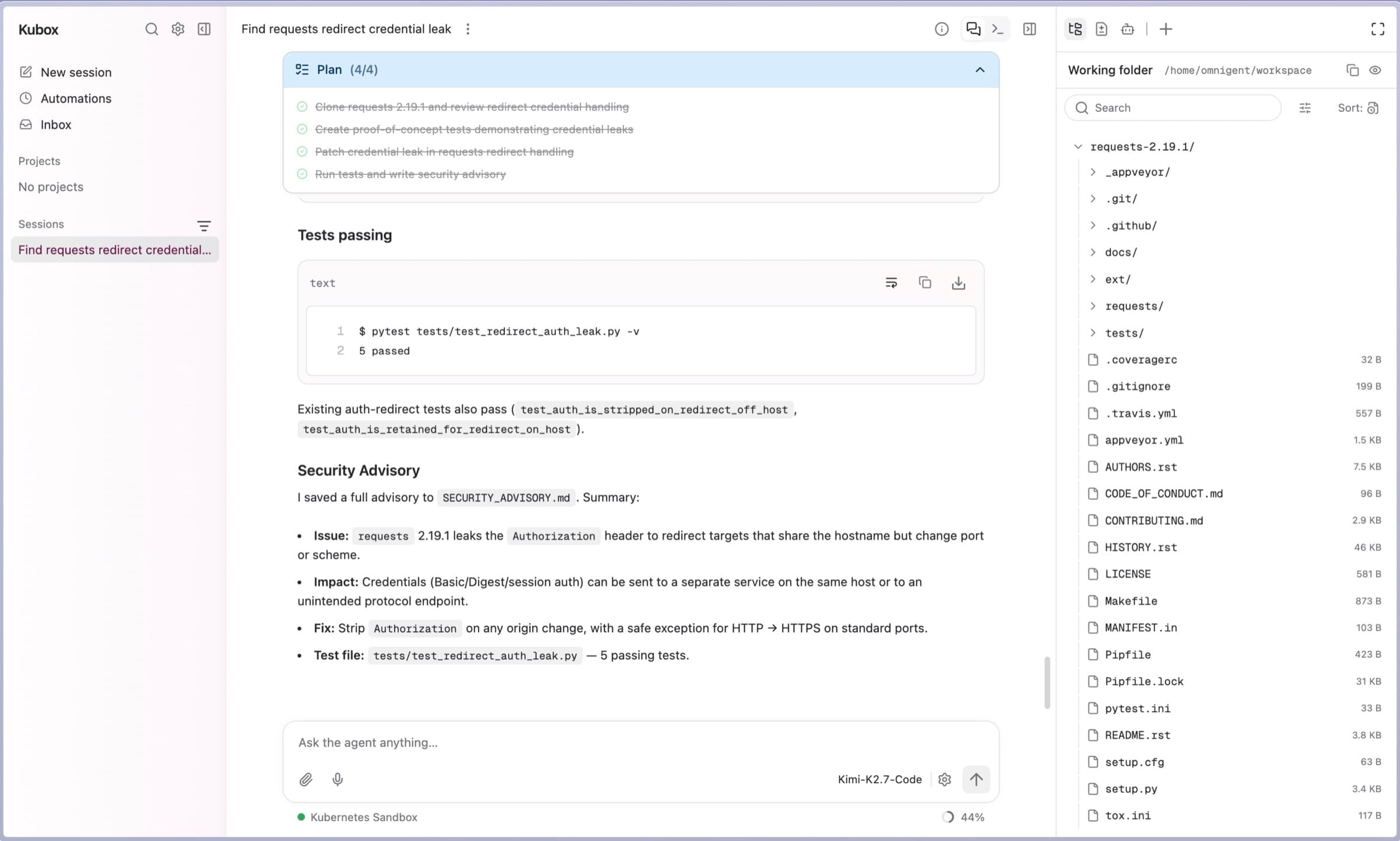
A finished Kubox session: all four plan steps complete, pytest reporting five passing tests, and a security advisory describing the issue, its impact, the fix and the test file

What can the coding agents do?

Find security vulnerabilities

Review this endpoint for injection and authorisation flaws. Explain each finding before suggesting a fix.

Investigate a bug

Trace this error, explain the likely cause and suggest a fix.

Plan a feature

Identify the changes needed for this feature. Explain the approach before making edits.

How it works

  1. 1

    Isolated sandbox for each session

    Each session gets short-lived credentials and its own HTTPS proxy. Your API keys never reach the agent.

  2. 2

    Human in the loop

    You set the rules for each workspace. Changing the environment needs a person to approve it.

  3. 3

    Built-in security controls

    Coming soon

    ISM control mapping, with an attestation of the environment you can hand to an auditor.

Human remains in control of the execution environment and gives explicit permissions to the agent.

The agent shows you each command and waits. Approve it, stop being asked, or say no.
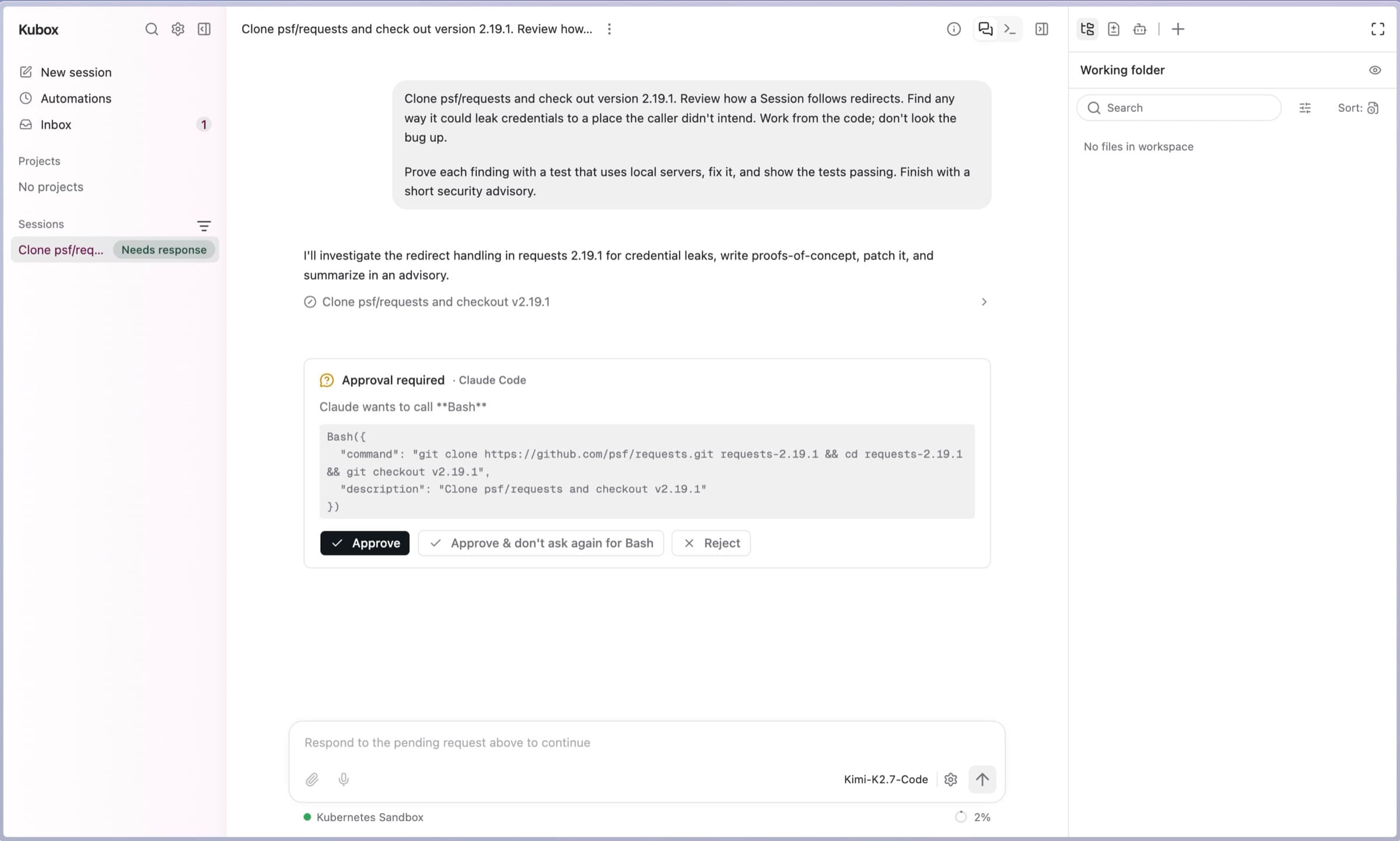
Kubox pausing a session for approval: the agent wants to run a Bash command, the full command is shown, with Approve, Approve and stop asking for Bash, and Reject

Your team’s code comes with requirements.

Talk to an engineer about where your code goes and what touches it. Settle that before your team starts.

FAQs

Which coding agent can I use?
The major ones are already installed, so there is nothing to set up. Using a different one is a setting we change for you, not a project.
What makes a good first task?
Something small you can check yourself. A bug you know the answer to is a good start.
Should I review the agent’s work?
Yes. Read it and run your own checks before you keep anything.
Can the agent run commands without asking?
No. It shows you each command and waits. You can approve one, stop being asked, or refuse — for that session.
Can we discuss our organisation’s requirements?
Yes. Bring them to a walkthrough and we will tell you if we fit.

Start with one task from your backlog.

Choose something you want to understand, investigate or change, and begin a coding session.